

🔍

DAM Audit Webinar

Learn how to clean, organize, and optimize your DAM portal.

Welcome to the new Homepage experience!

  • December 4, 2024
  • 2 replies
  • 298 views

Ryanne Perry
Community Manager
Forum|alt.badge.img+1

We’re thrilled to have you join us on this exciting journey as we roll out the new Homepage! 


Here’s how you can make the most of this Community group:

🙋Ask us anything about the Homepage 

Whether you’re just getting started or need tips on achieving a specific effect on your new Homepage, our Byndies are here to help!

🤝 Network with Other Users
Connect, collaborate, and learn from fellow Bynder users. This is a great space to exchange tips and best practices and build your network.

🌟 Sharing Your Stories & Experiences
We want to hear how you're using the new Homepage! Whether it's a unique use case or a success story, your experiences can inspire others.

📂 Show Off Your New Homepage Creations

Have you created something you're proud of? Share it with the Community! Your creativity could spark new ideas for others.

🗣️ Provide Feedback
Your feedback is essential in shaping the future of the Homepage. Let us know what’s working and any new ideas you have.

Click here to find all info regarding the homepage and what to expect.

Together, we can make this new homepage experience even better. We’re excited to hear from you and can’t wait to see what we’ll create as a Community!

Let’s get started! 🚀
 

2 replies

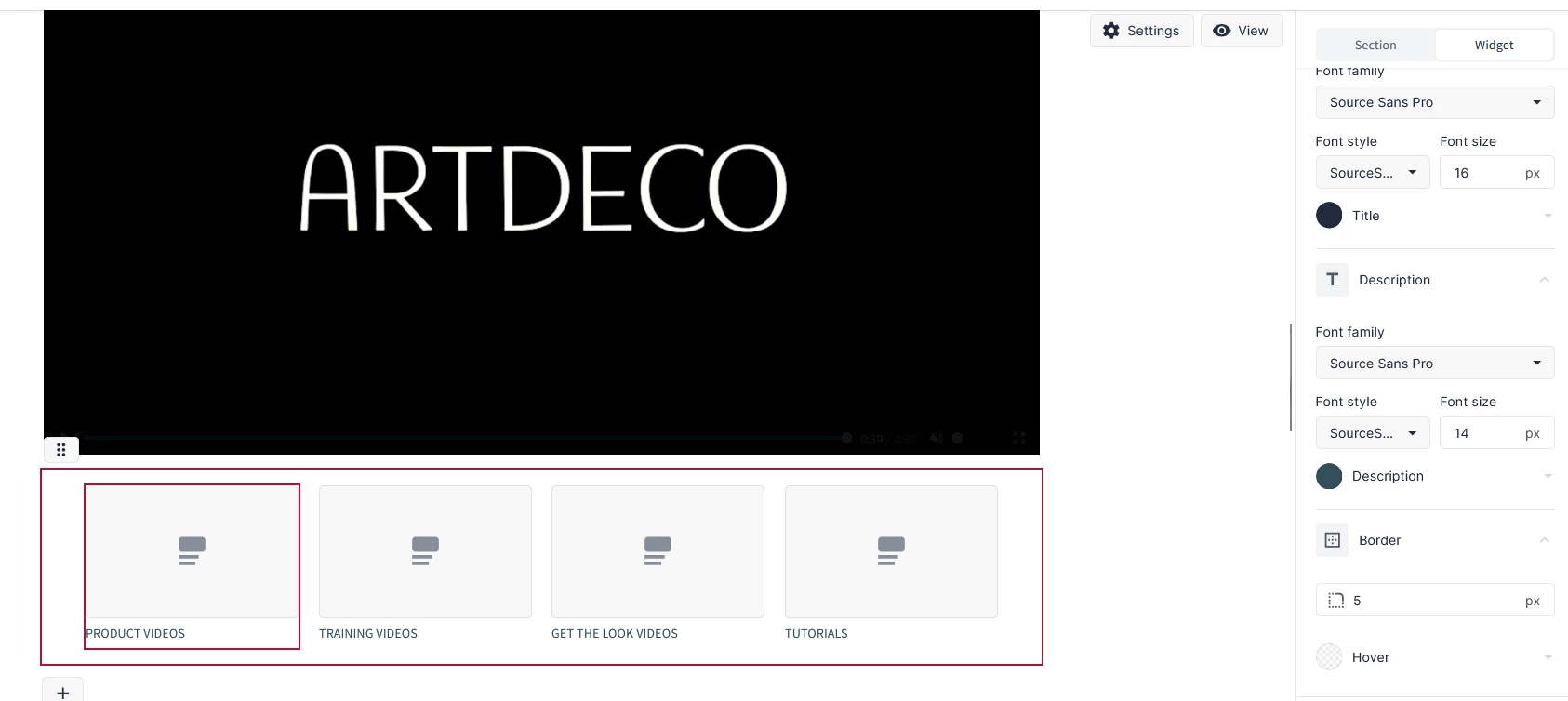
Hi. I am just starting out to create our homepage and targeted hompages for our portal. I cannot figure out how to link to a specific content sub-type/filter via a widget.

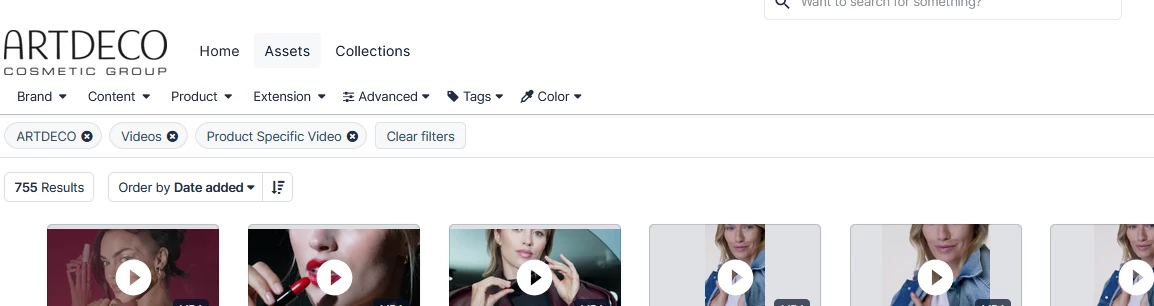
I want create widget to guarantee fast access to certain content-types/filters on the DAM .


Like this.

Each widget should link to a specific content sub-type/filter on our portal. As shown for example on the second image.


Jovana Batinic
Byndie

Hi ​@Katie_ARTDECO! This one slipped through the cracks on our side, apologies for that!

Yes, this is a very common use case we see—especially for customers using the Homepage or CX User Community pages 👍

You can build a pre-filtered asset bank using this approach:
https://support.bynder.com/hc/en-us/articles/19524844222098-Customize-Portal-View-to-Specific-Filters-or-Search-Results

That said, it can be a bit cumbersome in practice. A much easier option is a Chrome plugin created by our Onboarding team that generates direct links based on your applied filters:
https://chromewebstore.google.com/detail/filter-url-generator-for/kmjbefjcflbegkomplljokogkjnfifhm
 

It works like a charm and tends to save quite a bit of time 😊 Give it a try and let us know if that helped! 

Best,
Jovana
Product Team