🔍

DAM Audit Webinar

Learn how to clean, organize, and optimize your DAM portal.
Solved

Updating asset text type metadata via API

  • April 2, 2026
  • 5 replies
  • 89 views

Hello,

I have a problem with the Bynder API to update an asset metaproperty of type text.

I am able to update the name, the description and the select-type metaproperties. But i cannot update my text-type metaproperty. I try :

  1. {‘metaproperty.id’: ‘my text’}
  2. {‘metaproperty_name’: ‘my text’}

Both return a 202 response : “{"message":"Accepted","statuscode":202}” but the asset is not updated.

When I try :

       {‘name’: ‘Mon document’, ‘metaproperty.id’: ‘my text’}

Only the name is updated.


Somebody, I have an idea ?


Best answer by Catherine L

@Tatiana Fischer You can run a update it for Select Types and Text Types

curl --request POST \
     --url https://customerportal.bynder.com/api/v4/media/id \
     --header 'accept: application/json' \
     --header 'content-type: application/x-www-form-urlencoded' \
     --data 'metaproperty={"metaproperty.[metapropertyID]":"[metaproperty option ID]"}'


Example for a Select Type: 

curl --request POST \
     --url https://customerportal.bynder.com/api/v4/media/id \
     --header 'accept: application/json' \
     --header 'content-type: application/x-www-form-urlencoded' \
     --data 'metaproperty={"Metaproperty.[metapropertyID from the taxonomy page]":"[metaproperty option ID]"}'


Example for a Text Type: 

curl -X "POST" "https://customerportal.getbynder.com/api/v4/media/ASSETID/" \
     -H 'Authorization: Bearer token details \
     -H 'Content-Type: application/x-www-form-urlencoded; charset=utf-8' \
     --data-urlencode "metaproperty.Metaproperty ID=metaproperty option value"


Here’s a working example from one of our test portals:

curl -X "POST" "https://testaccount.getbynder.com/api/v4/media/7D6018BD-A787-41A0-879769A896498B76/" \
     -H 'Authorization: Bearer token' \
     -H 'Content-Type: application/x-www-form-urlencoded; charset=utf-8' \
     --data-urlencode "metaproperty.42474550-A198-4F13-908C837204C94E5F=BynderTest1"

 

5 replies

brett.mcgaffigan
Byndie

Thank you for reaching out! I’ve gone ahead and opened a support ticket on your behalf so that the team can investigate this issue. 


  • Byndie
  • April 3, 2026

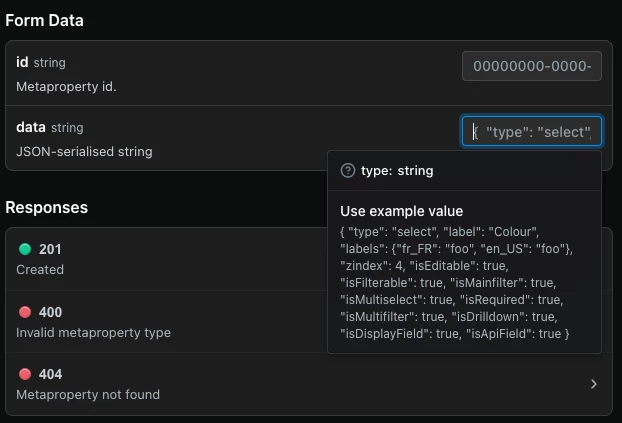
@Tatiana Fischer  You can use the API to update a metaproperty's text - please reference the API Documentation.

The data string is limited to these fields:


Thanks for your replies.

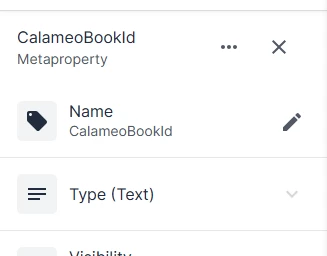
@Catherine L : I doesn’t want to modify a metaproperty with “https://{your-bynder-domain}/api/v4/metaproperties/{id}” but modify a metaproperty value in the asset with “https://{your-bynder-domain}/api/v4/media/{id}” (or other method).


{
    "dateCreated": "2025-12-19T10:26:22Z",
    "dateModified": "2026-04-02T10:36:59Z",
    "datePublished": "2025-12-12T10:50:05Z",
    "description": "",
    "extension": [
        "pdf"
    ],
    "id": "hghghg",
    "idHash": "xxxxx",
    "isPublic": 1,
    "limited": 0,
    "name": "name",
    "original": "https://[]/name.pdf",
    "propertyOptions": [],
    "property_CalameoBookId": "value_to_update",
}


  • Byndie
  • Answer
  • April 8, 2026

@Tatiana Fischer You can run a update it for Select Types and Text Types

curl --request POST \
     --url https://customerportal.bynder.com/api/v4/media/id \
     --header 'accept: application/json' \
     --header 'content-type: application/x-www-form-urlencoded' \
     --data 'metaproperty={"metaproperty.[metapropertyID]":"[metaproperty option ID]"}'


Example for a Select Type: 

curl --request POST \
     --url https://customerportal.bynder.com/api/v4/media/id \
     --header 'accept: application/json' \
     --header 'content-type: application/x-www-form-urlencoded' \
     --data 'metaproperty={"Metaproperty.[metapropertyID from the taxonomy page]":"[metaproperty option ID]"}'


Example for a Text Type: 

curl -X "POST" "https://customerportal.getbynder.com/api/v4/media/ASSETID/" \
     -H 'Authorization: Bearer token details \
     -H 'Content-Type: application/x-www-form-urlencoded; charset=utf-8' \
     --data-urlencode "metaproperty.Metaproperty ID=metaproperty option value"


Here’s a working example from one of our test portals:

curl -X "POST" "https://testaccount.getbynder.com/api/v4/media/7D6018BD-A787-41A0-879769A896498B76/" \
     -H 'Authorization: Bearer token' \
     -H 'Content-Type: application/x-www-form-urlencoded; charset=utf-8' \
     --data-urlencode "metaproperty.42474550-A198-4F13-908C837204C94E5F=BynderTest1"



Thank you very much,

As it turns out, I just need a little vacation because I’d forgotten the “.” 😅

For my fellow PHP users:
“metaproperty.”.$meta_id.“=”.$value; 

😉