

🔍

DAM Audit Webinar

Learn how to clean, organize, and optimize your DAM portal.

Update the date picker in Advanced filter please.

  • March 4, 2026
  • 3 replies
  • 35 views

Danny van Loon
Forum|alt.badge.img+2

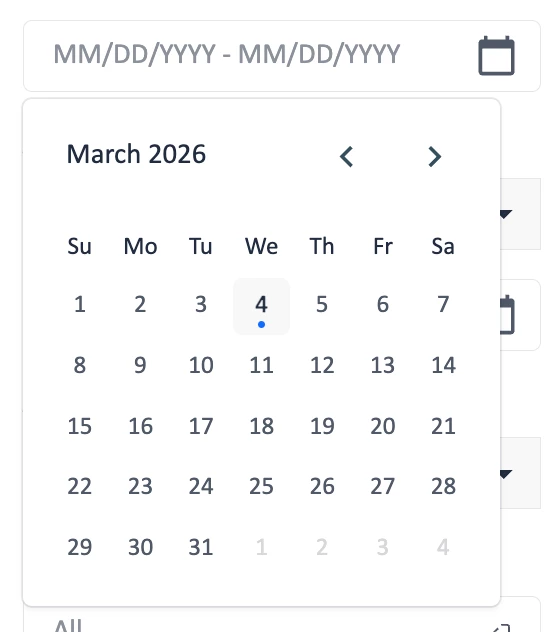
Question for Bynder.. would it be too much to ask to let us select month or year in the date/range picker in advanced filters, instead of click on the arrows to get to a certain month or year..
you now use at least 3 different kind of date pickers.
this one in the advanced filters


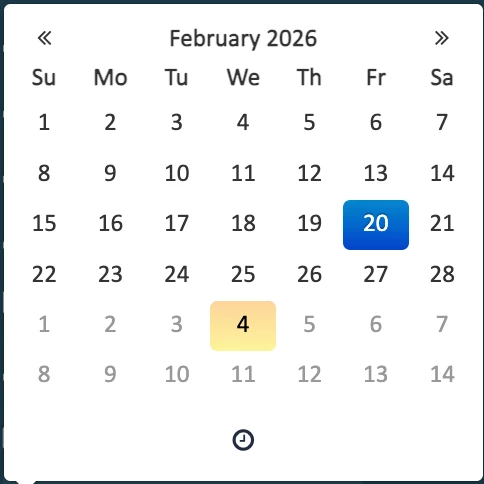
this one for publication date which is better because you click on the month and get to the year:


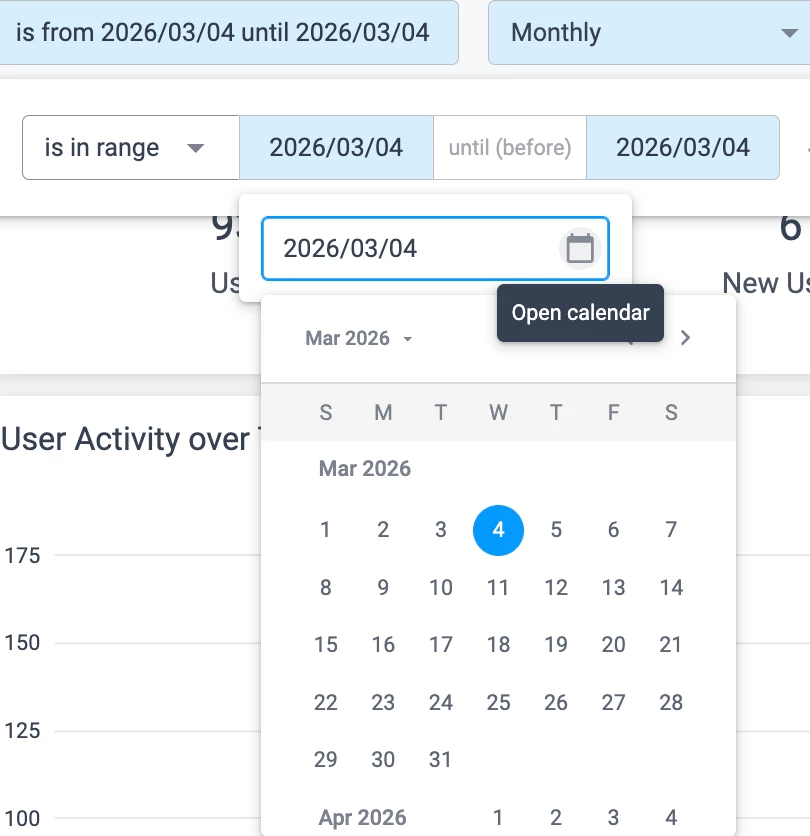
And a similar one in the Analytics which is also better then the one in advanced filters.


My suggestion is, pick the one of the last 2 and ditch the one now in advanced filters.
​​​​​​​I hope I am not the only one in this.
 

3 replies

Forum|alt.badge.img
  • Producer
  • March 4, 2026

@Danny van Loon thanks for sharing this request. I agree with you the date fields in the Advanced filter are not easy to use. I have resorted to entering the date range manually as a workaround.


Danny van Loon
Forum|alt.badge.img+2
  • Author
  • DAM Inspiring
  • March 5, 2026

@ChrisG I do too, but I am constantly switching between a Dutch laptop and English system so i am constantly getting the formatting wrong..😑


  • Producer
  • March 13, 2026

With the Begin Date and End Date fields, I can easily select the month and day, in the current year. I can then quickly edit the year (such as changing End Date year from 2026 to 2031) in just a few clicks. In contrast, the Advanced Date picker lacks this functionality, making it impossible to modify the year directly. When setting up assets for future archive and watermarking, having to scroll through several years to reach the desired date is quite inconvenient.