


See what’s new in Bynder. Follow this category to receive email notifications about updates.
Recently active
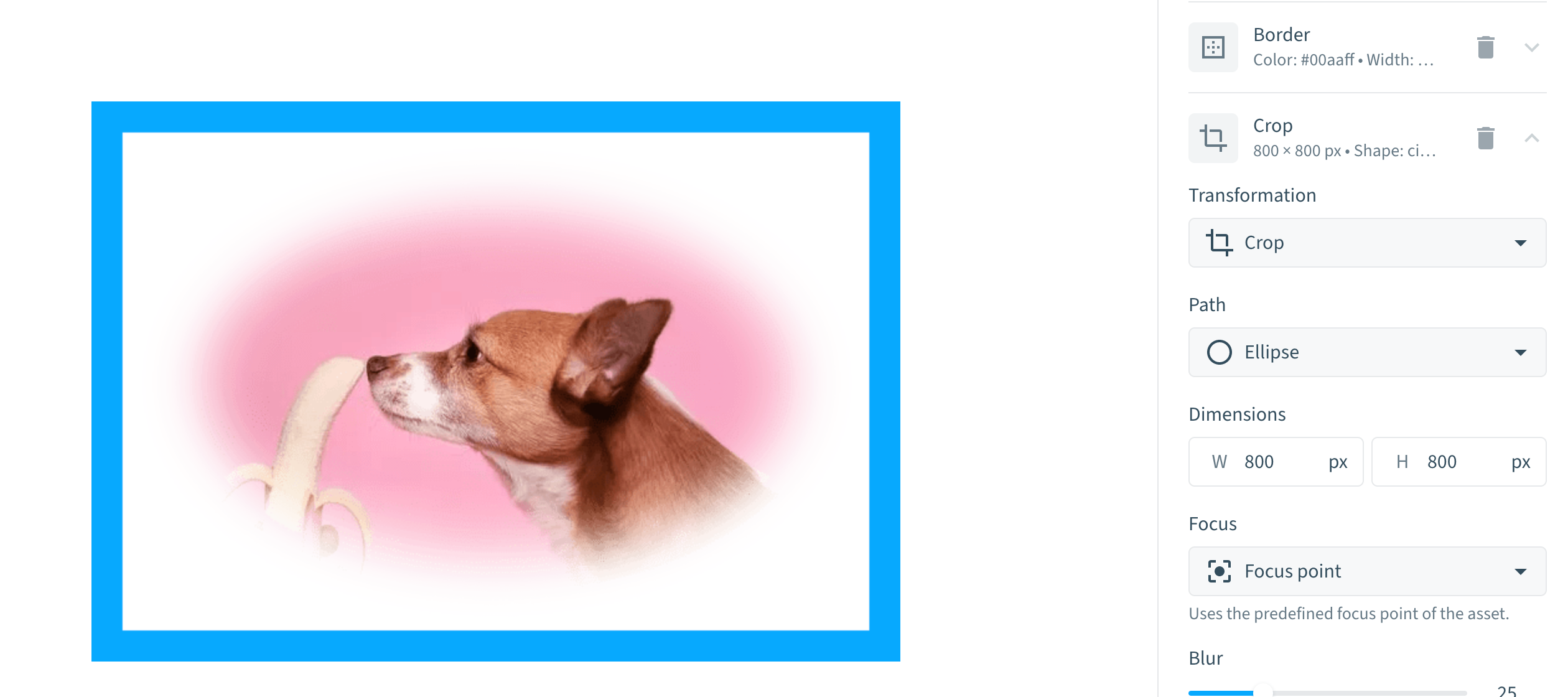
I am obsessed with the new DAT (Dynamic Asset Transformation) UI. It just launched this week, and it lives in the asset detail view under “transformations.” Look how easy this is. Just “add transformation” on the sidebar, fiddle around with the settings, and instantly get the preview and the DAT live link below.I know most of my onboarding clients just want to crop and resize to a focal point (DAT does this on the fly where automated derivates cannot), but the Bynder devs added so many fun transformations, it’s tempting to use them at once and commit crimes against design like this one. Screenshot of the DAT transformations UI, with a preview of an asset of a dog sniffing a bananaDAT Link for my dog fine artTalk to your Customer Success Manager if you want to demo or purchase DAT, or if you have the DAT module and need the transformation UI feature turned on in your portal.
Don't be shy and let us know your challenge.
Provide your feedback and insights on our Community here.
Already have an account? Login
No account yet? Create an account here!
Enter your E-mail address. We'll send you an e-mail with instructions to reset your password.